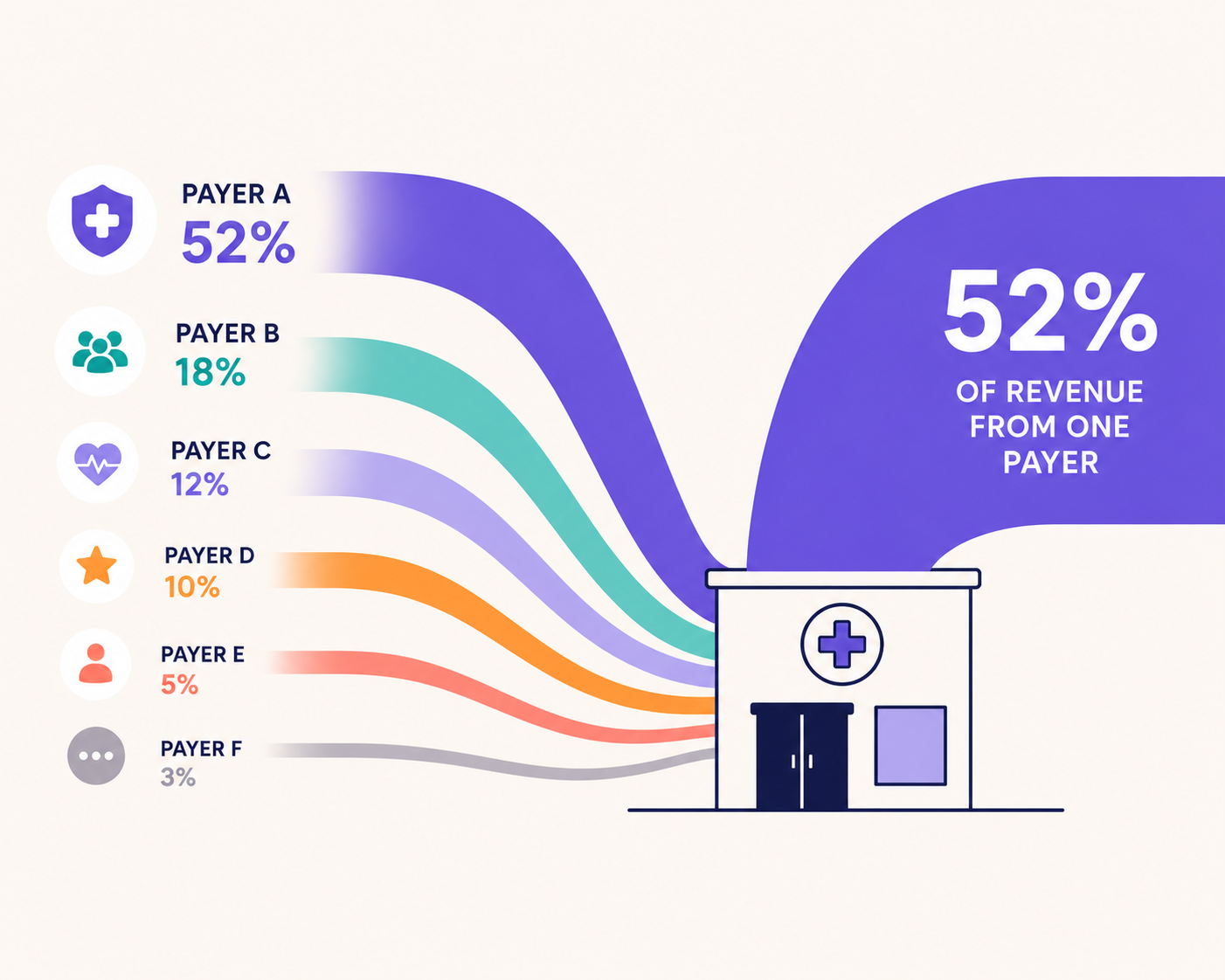
Running a single-location healthcare practice is already complex. Running two, three, or five? The financial complexity doesn't just double… it multiplies.
If you've ever tried to answer 'which of my locations is actually profitable?' and come up empty, you're not alone.
Most practices managing multiple locations are flying blind when it comes to location-level financial data - not because the data doesn't exist, but because their financial systems were never set up to capture it correctly.
This guide gives you the complete medical practice management financial systems playbook. The exact infrastructure you need to build location-by-location profit and loss statements, set up your bookkeeping for scale, and make the kind of data-driven decisions that growing practices need.
We cover banking, EMR/billing, payroll, corporate cards, and how to handle shared expenses across locations. By the end, you'll know exactly what needs to change and in what order.
Whether you're operating under a single EIN with multiple clinics, building toward a management services organization (MSO) structure, or anywhere in between, this framework applies to you.
Seeking a free consultation? Flychain specializes in financial systems for growing medical practices. Book a free consultation here.

Why Multi-Location Healthcare Practices Need Different Financial Systems
Most healthcare practices start with whatever accounting setup is easiest: often QuickBooks, a single bank account, and one company card.
That works when you are just getting started (e.g., first few months of opening your practice) and have one location.
The moment you start accepting multiple patients or open a second location, you've introduced a problem that your current systems almost certainly weren't built to solve: you can't tell which location is making money.
This matters for several reasons:
- Performance management: If Location 2 is underperforming, you need to know before the loss compounds for 12 months.
- Staffing decisions: Which location has the right therapist-to-patient ratio? Which is overstaffed?
- Expansion planning: Before you open Location 3, you need to know whether Location 2 is cash-flow positive.
- MSO readiness: If you're considering a management services organization structure, lenders and investors will expect location-level financials from day one.
The challenge isn't a software problem. It's a systems design problem.
You need to configure your payroll, banking, billing, and card infrastructure so that every dollar in and every dollar out is tagged to the right location.
Once that's in place, your bookkeeping - and Flychain's healthcare-specialized bookkeeping services - can produce the location-level P&L you actually need.
And unlike generic accounting tools, Flychain is built specifically for healthcare practice financial systems.
Our bookkeepers understand EMR reports, ADP payroll structures, and the nuances of healthcare revenue recognition, so the setup we describe below is exactly what we implement with practices every day.
Know Your Structure: The Medical Practice Management Decision Tree
Before you configure anything, you need to know which scenario you're in.
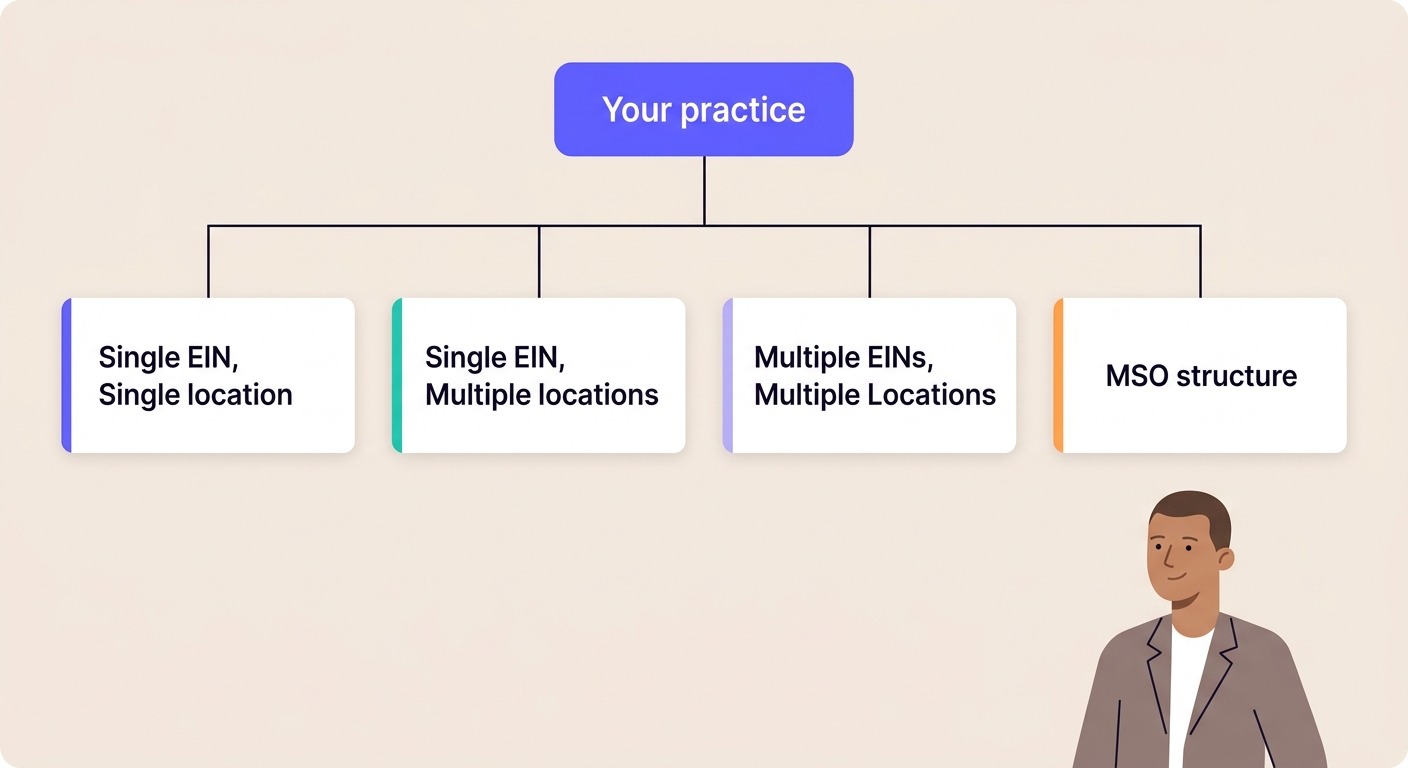
Your EIN and location structure determines everything that follows. Here are the five structures we encounter most at Flychain:
The single EIN, multi-location structure is one of the most common scenarios we work with and the most common source of confusion. Everything that follows applies directly to this setup, with notes where MSO or multi-EIN structures add complexity.
Not sure which structure is right for your practice? Talk to the Flychain team
System 1: Banking - The Foundation Everything Builds On
Before payroll, before credit cards, before billing reports - your banking infrastructure is the foundation of your entire financial system.
Most growing healthcare practices underestimate this until the complexity of multi-location bookkeeping forces the issue. Getting your banking structure right from the start saves months of cleanup later.
Separate Operating Accounts by Entity
The core principle: money should flow through accounts that reflect your legal and operational structure.
If you have a single EIN with multiple locations, you can operate from one primary account, but you'll want your banking platform to support sub-accounts or cost center tagging.
If you have multiple EINs, each entity should have its own dedicated operating account. Commingling funds between entities creates bookkeeping nightmares and legal exposure.
What your banking setup should enable:
- Clear separation of operating funds by entity or location
- Visibility into cash position at each level: entity, location, or consolidated
- A clean audit trail: every dollar that moves should be traceable to a specific account and purpose
- Efficient payroll funding. Ideally a dedicated payroll funding account separate from operating accounts
Choosing the Right Banking Platform
For multi-location or multi-entity healthcare practices, we recommend modern business banking platforms like Mercury over traditional banks for one simple reason: they're built for financial visibility.
Features like sub-accounts, spend controls, and direct integrations with accounting software eliminate the manual work that traditional business checking accounts create.
Key capabilities to look for in a banking platform:
- Sub-accounts or virtual accounts that map to locations or entities
- Direct integration with your accounting software (reduces manual reconciliation)
- Spend controls and approval workflows for different locations
- Real-time transaction visibility across all accounts
Treasury and Reserve Accounts
As your practice generates cash reserves, keeping everything in a single operating account introduces risk and leaves money on the table.
A basic treasury structure for a growing multi-location practice includes an operating account (daily transactions), a payroll funding account (funded before each payroll run), and a reserve or treasury account (excess cash earning yield).
Platforms like Mercury and Ramp offer treasury products natively - another reason they work well for practices at this stage.
System 2: Revenue - Getting Your Billing Data Tagged by Location
Revenue is the most important system to get right, and the one most practices get wrong.
The core requirement is simple: every revenue transaction (i.e., every session or encounter with a patient) needs to be tagged to the location where the service occurred.
In practice, this means your billing system or EMR must export reports with a location or facility field populated for every session or encounter.
What You Need from Your Billing System
Ask your biller or billing platform for reports that include a location or facility column at the session or encounter level.
This is a non-negotiable requirement for location-level bookkeeping. Specifically each session performed should tie back to a specific location.
If your billing system cannot produce location-tagged reports, this is a project to prioritize with your biller before anything else.
Without it, location-level P&L is not possible. No amount of bookkeeping sophistication will fix missing upstream data.
Plan A vs. Plan B for Revenue Tagging
Most practices have a primary billing platform and may also use their EMR's built-in billing module as a fallback.
We recommend this priority order:
- Primary billing platform with location/facility field populated - this is the gold standard. Work with your biller to ensure the location field is consistently populated for every claim.
- EMR billing report as a backup - most modern EMRs can export billing reports with location data. This is a viable Plan B if your primary biller's reports don't have sufficient location granularity.
The key question to ask your biller: "Can you pull a report that shows revenue and collections broken out by location or facility?"
If the answer is yes, you're ready. If not, getting to yes is the first project on your list.
System 3: Payroll - The Most Overlooked Piece
For most healthcare practices, payroll is the single largest expense - typically 50–65% of revenue.
This means if your payroll data isn't tagged by location, the majority of your expense data is useless for location-level analysis. This is where we see the biggest gaps.
Set Up Location + Role Departments in Your Payroll System
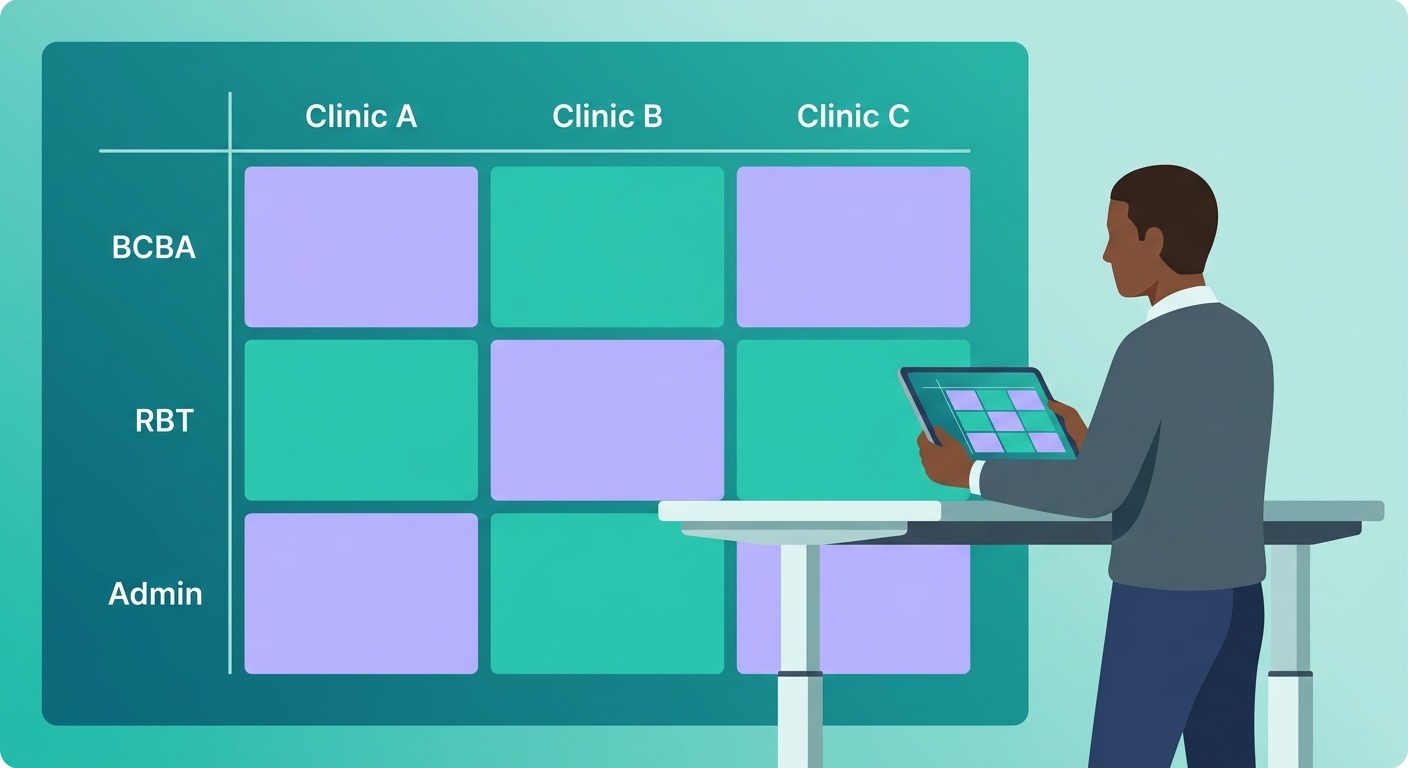
The standard approach is to configure your payroll system with departments that combine location and role.
This is different from most practices' default setup, which typically only tracks roles (BCBA, RBT, Admin) without location.
Here's how the math works:
- 4 employee roles (BCBA, RBT, Admin, Clinical Director)
- 3 locations (Clinic A, Clinic B, Clinic C)
- = 12 payroll departments (not 4)
Each unique location + role combination becomes its own payroll department.
This allows your payroll reports to show exactly how much you're spending on each type of staff at each location, which is the foundation of location-level margin analysis.
Working with Your Payroll Provider
If you're on ADP, Gusto, Paychex, or any major payroll platform, this setup is possible, but it requires configuration. Key steps:
- Contact your payroll representative and ask them to set up location-specific department codes.
- Confirm that each employee has both a location and a home department code assigned before the next payroll run.
- Ask whether bonuses can be pulled as a separate line item in payroll reports - this is helpful for normalizing compensation data.
- After the first payroll run under the new setup, pull a report to confirm location and department codes are populating correctly.
Important: if employees regularly float between locations, you'll need a process for splitting their pay in the period when they worked across sites.
Define the rule upfront (e.g., split based on hours logged per location) rather than case-by-case.
Flychain's bookkeepers work directly with you and your payroll provider to configure location-level reporting. See how we can save your practice 20+ hours a month → Book a Demo
System 4: Corporate Cards - One Card Per Location
Credit card expenses are the most time-consuming part of location splitting when done manually.
If your team uses one shared card for all locations, every single transaction has to be manually allocated: a process that's slow, error-prone, and impossible to scale.
The solution is clean, low-tech, and highly effective: give each location its own sub-card.
The Sub-Card Setup
We recommend platforms like Mercury or Ramp for multi-location practices because they allow sub-cards with cost center tagging natively built in. The setup looks like this:
- One master account with one Mastercard or Visa number
- Sub-cards issued to each location (e.g., Clinic A Card, Clinic B Card, Clinic C Card)
- All expenses on Clinic A's card automatically tagged to Location 1 - no manual review required
- Monthly card-to-location mapping is maintained in your bookkeeping system
The rule of thumb: if a card has expenses for multiple locations, it creates work.
If each card maps cleanly to one location, the categorization becomes nearly automatic. This is one of the highest-leverage systems changes you can make.
For Non-Card Checking Account Expenses
Many practices run some expenses through a checking account rather than cards - ACH payments, wire transfers, rent, and similar items. For these, you have two options:
- Set up a separate checking account per location so that non-card expenses are inherently location-tagged (ideal but requires banking infrastructure changes).
- Maintain a small list of recurring checking account transactions with a pre-agreed location assignment, reviewed monthly with your bookkeeper.
The second option works well if your non-card checking volume is low - fewer than 20 transactions per month per location. If it's higher, the first option is worth the administrative effort.
System 5: Shared & Corporate Expenses
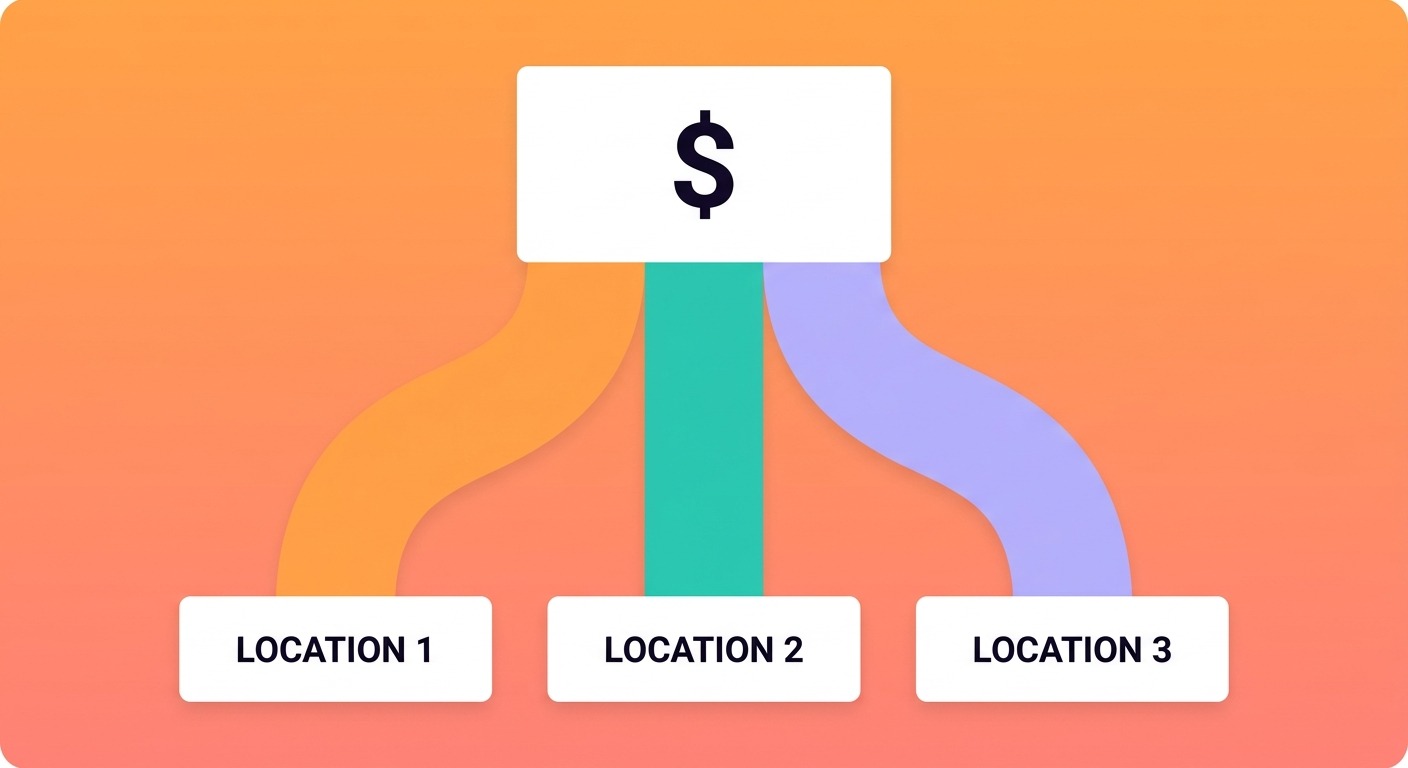
Some expenses simply can't be assigned to a single location: owner compensation, legal fees, accounting services, software subscriptions, and similar items that benefit the whole practice.
These are your shared or corporate expenses, and every multi-location practice needs a defined methodology for allocating them.
The Three Standard Allocation Methods
Our recommendation for most practices: use pro-rata by revenue as the default, and create a dedicated 'Corporate' location code for expenses that are genuinely owner-level or practice-wide.
This approach is auditable, consistent, and easy to explain to lenders or partners.
Common shared expenses and their recommended allocation:
- Stripe or payment processing fees → split as a ratio of revenue between locations
- Billing platform fees (e.g., EMR costs) → split as a ratio of revenue
- Legal and professional services → split as a ratio of revenue or assigned to Corporate
- Owner compensation and distributions → assigned to Corporate location
- Malpractice insurance → split as a fixed percentage or by headcount per location
The Complete Multi-Location Healthcare Practice Financial Systems Checklist
Here's the full setup checklist organized by system. We suggest working through these in order: banking first, since card and payroll infrastructure depends on it.
Revenue tagging via your billing system is the highest priority after banking, followed by payroll, then cards.
Banking
- Confirm each entity or location has its own dedicated operating account (or sub-account)
- Evaluate whether your current banking platform supports sub-accounts and accounting software integration
- Set up a separate payroll funding account if not already in place
- Consider a treasury/reserve account for excess cash if operating balances are growing
Revenue (EMR/Billing)
- Confirm your billing platform can export location/facility-tagged reports
- Work with your biller to ensure the location field is populated for every claim
- Identify your Plan B (EMR billing module) if primary billing reports lack location data
- Pull a test report to verify location data is accurate before going live
Payroll
- Contact your payroll provider to configure location + role department codes
- Confirm every employee has a location and department code assigned
- Define a policy for employees who float between locations
- Request that bonuses be trackable as a separate line item
- Validate location codes after the first payroll run under the new setup
Corporate Cards
- Evaluate switching to a platform with sub-card support (Mercury, Ramp)
- Issue dedicated sub-cards for each location
- Maintain a card-to-location mapping document
- For checking account expenses: either separate accounts per location or a short list of pre-agreed allocations
Shared Expenses
- Identify all expenses that benefit multiple locations
- Choose an allocation method for each category (pro-rata, fixed %, or Corporate)
- Document the methodology and keep it consistent month over month
- Create a 'Corporate' location code for owner-level and practice-wide expenses
Ready to implement this? Get a free consultation to see what's possible for your practice.
How Flychain Supports Medical Practice Management and Financial Systems
Flychain was built specifically for independent healthcare practices. Not generic small businesses, not large health systems.
Our practice-specialized financial operations team has set up location-level financial systems across ABA therapy, home health, behavioral health, physical therapy, and other specialties.
Here's what working with Flychain on medical practice management and financial systems looks like:
- Systems audit: We review your current banking, payroll, billing, and card setup and identify exactly what needs to change.
- Configuration support: We work directly with your banking platform, payroll provider, biller, and card provider to get everything configured correctly.
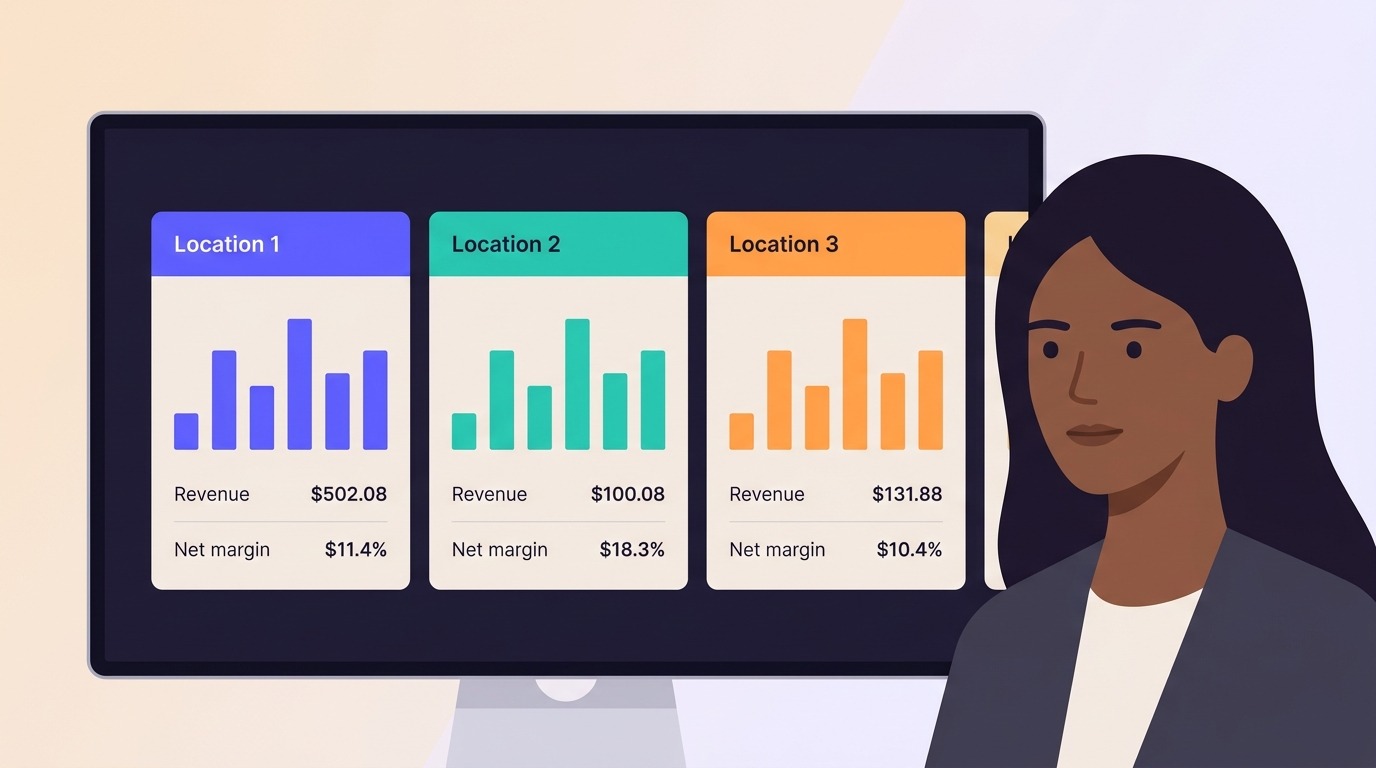
- Monthly location-level P&L: Once systems are in place, your books close monthly with clean location-level profit and loss statements.
- CFO Hub benchmarking: Compare your per-location margins and revenue per therapist against peers in your specialty.
- MSO and multi-entity support: If you're building toward a management services organization structure, we can advise on entity setup and transfer pricing documentation.
We're not just bookkeepers. We're financial operations partners for practices that are serious about growth. And unlike off-the-shelf accounting software, we don't require you to figure any of this out yourself.
Frequently Asked Questions
How long does it take to set up location-level bookkeeping?
For most practices, getting the foundational systems in place takes one to three months, depending on your current infrastructure.
Payroll configuration is usually the quickest to implement (often done within a single payroll cycle).
Billing system changes may take longer if your biller needs to reconfigure reporting.
Credit card changes can happen quickly if you're already on a platform that supports sub-cards, or may require switching providers.
Does Flychain work with practices that have complex EIN structures?
Yes. We work with single-EIN multi-location practices, multi-EIN practices, and those operating under a management services organization (MSO) structure.
Each setup requires slightly different bookkeeping logic, and our team is experienced with all of them.
For MSO structures specifically, we can also advise on transfer pricing methodology and the documentation required for lender review.
What if my employees work at multiple locations in the same week?
This is common, especially in ABA therapy and behavioral health. The key is to define your allocation policy upfront - typically based on hours logged per location in the relevant pay period.
Your payroll provider should be able to accommodate split-location payroll coding. We recommend documenting the policy clearly so it's applied consistently month over month.
Can I use QuickBooks for multi-location practice financial management?
QuickBooks can track some location data through its class or location tracking features, but it has significant limitations for healthcare practices: it doesn't natively integrate with most healthcare EMRs, it wasn't designed for the revenue recognition nuances of insurance-based billing, and its reporting for multi-location P&L requires significant manual configuration.
Most practices that try to use QuickBooks for multi-location medical practice financial management end up with messy books and unreliable location data. Flychain provides a purpose-built alternative.
Start Building the Financial Systems Your Medical Practice Management Needs
Managing a growing medical practice without location-level financial data is like running operations blindfolded.
You know something is happening at each site, but you can't see what. The systems described in this guide exist for one reason: to give you clear visibility into the financial performance of every location you operate.
The good news is that none of this requires expensive software or a finance team. It requires the right medical practice management financial systems - properly configured payroll departments, location-tagged billing reports, sub-cards for each site, and a consistent methodology for shared expenses.
Get those four things right, and your books will tell you exactly where to invest, where to cut, and where your next location should be.
Flychain has implemented this playbook across dozens of healthcare practices. If you'd like help applying it to yours or just want a second opinion on your current setup - our team is ready to walk through it with you.
Book a free consultation with the Flychain team. We'll review your current financial systems and show you exactly what a location-level P&L setup looks like for your practice.
Written by Ethan Schwarzbach, CEO and Co-Founder of Flychain.
Flychain provides healthcare-specialized bookkeeping, CFO intelligence, taxes, and capital support for independent healthcare practices.